
Invisible Text Generator (ㅤ) - Learn to turn text invisible and Invisible Text Maker
Quickly looking for Blank Space to Copy and Paste or something like an invisible text? Look no further, as we have got you covered with our Invisible Text Generator. Our Invisible Character Generator is a tool that generates empty characters (hidden text or invisible text) that can be used to prank your friends or hide your messages very perfectly. You can use this tool to generate invisible text and copy it to your clipboard. The blank texts can be pasted anywhere you want.
So, what are you waiting for? Try our Hidden Text Generator now and have fun with your friends. You can use this Invisible Text Generator to send empty messages on platforms like Whatsapp, Twitter, Instagram or Facebook where they don't allow you to send empty messages. It is also compulsory to have atleast one character in the message. Thus, you can use our Invisible Text Generator here to send empty messages (containing secret or invisible text).
What are Invisible or Hidden Characters or Blank Spaces? 🤔
White Spaces or Invisble Characters are the characters that are not visible to the user but are present in the text. These characters are used to create spaces between words or sentences. Invisible Characters are used to format the text and make it more readable. Invisible Word Generator can generate invisible words that are created with the empty space characters.
These empty characters are used to create spaces between words but without using the default space character or say using the space key. All the charcters are replaced with a special Unicode Characterthat looks like a space but is not a space.
Unicode Characters for Blank/Invisible Text 🤓
Refer to this table of Unicode characters commonly used to create invisible or blank text. Click the copy icon to copy the character.
| Unicode | Description | HTML | Example | Copy |
|---|---|---|---|---|
| U+0020 | Space |   | [ ] | |
| U+00A0 | No-Break Space | | [ ] | |
| U+2000 | En Quad |   | [ ] | |
| U+2001 | Em Quad |   | [ ] | |
| U+2002 | En Space |   | [ ] | |
| U+2003 | Em Space |   | [ ] | |
| U+2004 | Three-Per-Em Space |   | [ ] | |
| U+2005 | Four-Per-Em Space |   | [ ] | |
| U+2006 | Six-Per-Em Space |   | [ ] | |
| U+2007 | Figure Space |   | [ ] | |
| U+2008 | Punctuation Space |   | [ ] | |
| U+2009 | Thin Space |   | [ ] | |
| U+200A | Hair Space |   | [ ] | |
| U+2028 | Line Separator | 
 | [ ] | |
| U+205F | Medium Mathematical Space |   | [ ] | |
| U+3000 | Ideographic Space |   | [ ] | |
| U+25A0 | Black Square | ■ | [■] | |
| U+0009 | Horizontal Tab | 	 | [ ] | |
| U+000A | Line Feed | | [ ] | |
| U+000C | Form Feed |  | [ ] | |
| U+001C | File Separator |  | [ ] | |
| U+200B | Zero-Width Space | ​ | [] | |
| U+200C | Zero-Width Non-Joiner | ‌ | [] | |
| U+200D | Zero Width Joiner | ‍ | [] | |
| U+200E | Left-to-Right Mark | ‎ | [] | |
| U+200F | Right-to-Left Mark | ‏ | [] | |
| U+202A | Left-to-Right Embedding | ‪ | [] | |
| U+202B | Right-to-Left Embedding | ‫ | [] | |
| U+202C | Pop Directional Formatting | ‬ | [] | |
| U+202D | Left-to-Right Override | ‭ | [] | |
| U+202E | Right-to-Left Override | ‮ | [] | |
| U+202F | Narrow No-Break Space |   | [ ] | |
| U+2060 | Word Joiner | ⁠ | [] | |
| U+2061 | Word Separator | ⁡ | [] | |
| U+2062 | Paragraph Separator | ⁢ | [] | |
| U+00AD | Soft Hyphen | ­ | [] | |
| U+034F | Combining Grapheme Joiner | ͏ | [͏] | |
| U+061C | Arabic Letter Mark | ؜ | [] | |
| U+115F | Hangul Choseong Filler | ᅟ | [ᅟ] | |
| U+1160 | Hangul Jungseong Filler | ᅠ | [ᅠ] | |
| U+17B4 | Khmer Vowel Inherent Aq | ឴ | [឴] | |
| U+17B5 | Khmer Vowel Inherent Aa | ឵ | [឵] | |
| U+180B | FVS1 | ᠋ | [᠋] | |
| U+180C | FVS2 | ᠌ | [᠌] | |
| U+180D | FVS3 | ᠍ | [᠍] | |
| U+180E | MVS | ᠎ | [] | |
| U+2063 | Invisible Separator | ⁣ | [] | |
| U+2064 | Invisible Plus | ⁤ | [] | |
| U+2066 | LRI | ⁦ | [] | |
| U+2067 | RLI | ⁧ | [] | |
| U+2068 | FSI | ⁨ | [] | |
| U+2069 | Pop Directional Isolate | ⁩ | [] | |
| U+206A | Inhibit Symmetric Swapping |  | [] | |
| U+2800 | Braille Pattern Blank | ⠀ | [⠀] | |
| U+206B | Activate Symmetric Swapping |  | [] | |
| U+206C | Inhibit Arabic Form Shaping |  | [] | |
| U+206D | Activate Arabic Form Shaping |  | [] | |
| U+206E | National Digit Shapes |  | [] | |
| U+206F | Nominal Digit Shapes |  | [] | |
| U+3164 | Hangul Filler | ㅤ | [ㅤ] | |
| U+FE00 | Variation Selector-1 | ︀ | [︀] | |
| U+FE01 | Variation Selector-2 | ︁ | [︁] | |
| U+FE02 | Variation Selector-3 | ︂ | [︂] | |
| U+FE03 | Variation Selector-4 | ︃ | [︃] | |
| U+FE04 | Variation Selector-5 | ︄ | [︄] | |
| U+FE05 | Variation Selector-6 | ︅ | [︅] | |
| U+FE06 | Variation Selector-7 | ︆ | [︆] | |
| U+FE07 | Variation Selector-8 | ︇ | [︇] | |
| U+FE08 | Variation Selector-9 | ︈ | [︈] | |
| U+FE09 | Variation Selector-10 | ︉ | [︉] | |
| U+FE0A | Variation Selector-11 | ︊ | [︊] | |
| U+FE0B | Variation Selector-12 | ︋ | [︋] | |
| U+FE0C | Variation Selector-13 | ︌ | [︌] | |
| U+FE0D | Variation Selector-14 | ︍ | [︍] | |
| U+FE0E | Variation Selector-15 | ︎ | [︎] | |
| U+FE0F | Variation Selector-16 | ️ | [️] | |
| U+FEFF | Zero Width No-Break Space |  | [] | |
| U+FFA0 | Halfwidth Hangul Filler | ﻀ | [ﻀ] | |
| U+FFFC | Object Replacement Character |  | [] | |
| U+133FC | EGYPTIAN HIEROGLYPH Z015B | 𓮼 | [] | |
| U+1D159 | Musical Symbol Null Notehead | 𝄙 | [𝄙] | |
| U+1D173 | Musical Symbol Begin Beam | 𝆓 | [𝆓] | |
| U+1D174 | Musical Symbol End Beam | 𝆔 | [𝆔] | |
| U+1D175 | Musical Symbol Begin Tie | 𝆕 | [𝆕] | |
| U+1D176 | Musical Symbol End Tie | 𝆖 | [𝆖] | |
| U+1D177 | Musical Symbol Begin Slur | 𝆗 | [𝆗] | |
| U+1D178 | Musical Symbol End Slur | 𝆘 | [𝆘] | |
| U+1D179 | Musical Symbol Begin Phrase | 𝆙 | [𝆙] | |
| U+1D17A | Musical Symbol End Phrase | 𝆚 | [𝆚] | |
| U+E0001 | Language Tag | 󠀁 | [] | |
| U+E0020 | Tag Space | 󠀢 | [] | |
| U+E0021 | TAG EXCLAMATION MARK | 󠀣 | [] | |
| U+E0022 | TAG QUOTATION MARK | 󠀤 | [] | |
| U+E0023 | TAG NUMBER SIGN | 󠀥 | [] | |
| U+E0024 | TAG DOLLAR SIGN | 󠀦 | [] | |
| U+E0025 | TAG PERCENT SIGN | 󠀧 | [] | |
| U+E0026 | Tag Ampersand | 󠀨 | [] | |
| U+E0027 | TAG APOSTROPHE | 󠀩 | [] | |
| U+E0028 | TAG LEFT PARENTHESIS | 󠀪 | [] | |
| U+E0029 | TAG RIGHT PARENTHESIS | 󠀫 | [] | |
| U+E002A | TAG ASTERISK | 󠀬 | [] | |
| U+E002B | TAG PLUS SIGN | 󠀭 | [] | |
| U+E002C | TAG COMMA | 󠀮 | [] | |
| U+E002D | TAG HYPHEN-MINUS | 󠀯 | [] | |
| U+E002E | Tag Full Stop | 󠀰 | [] | |
| U+E002F | Tag Solidus | 󠀱 | [] | |
| U+E0030 | TAG DIGIT ZERO | 󠀲 | [] |
What is Repixify's Invisible Character Generator?
Repixify's Invisible Character Generator is a tool that generates invisible characters that can be used for various purposes like pranking your friends, sending empty messages on platforms like Whatsapp, Twitter, Instagram or Facebook where they don't allow you to send empty messages, where it is compulsory to have at least one character in the message. Thus, you can use our Invisible Text Generator here to send empty messages (containing secret or hidden text).
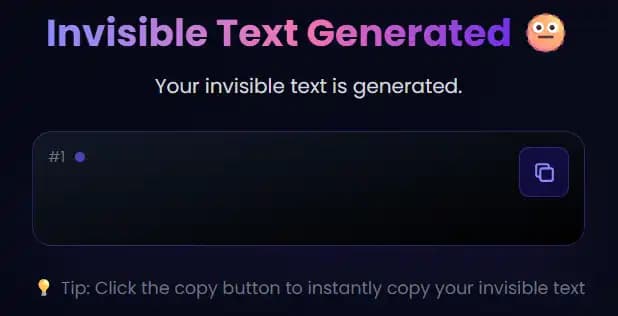
Our Invisible Text Generator uses special unicode characters to give you an empty character that looks like a space but is not a space. You can generate and copy invisible text by just clicking a single button. You can use this tool to generate invisible text and copy it to your clipboard. The blank texts can be pasted anywhere you want.
How to use Repixify's Invisible Text Generator?
Getting an Invisible letter is as easy as 1-2-3. Follow the steps below to generate invisible text using our Invisible Letter Generator:
Specify the number of invisible characters you want to generate. You can enter any number from 1 to 5000 characters.
Select the type of invisible character you want to generate. Options include Hangul Filler, Zero Width Space, and many more.
Provide any additional context or requirements for your invisible text generation.
Click the 'Generate Invisible Text' button and our AI will create the invisible characters for you.
Example of Invisible Character Generator ✒️
Use cases of Invisible Text or Blank Space 🤔
If you are coming across the Invisible Text Generator for the first time, then you might be thinking where invisible text can be used and who are the people who can use it. Here are some of the use cases of empty characters or invisible text generated by our Invisible Text Converter:
Invisible Text for Social Media 📱
Popular social media platforms like Whatsapp, Instagram or Facebook don't allow you to send empty messages. It is compulsory to have atleast one character in the message. But with the help of Invisible Text Generator, you can turn text invisible and copy it to your clipboard. You can then paste the invisible text in the message box and send it.
Invisible Characters for Usernames 📱
You can use Invisible Text Generator to convert text to invisible Text usernames for your social media accounts. You can generate invisible text and use it as your username on platforms like Instagram, Twitter, Facebook, etc. This will make your username unique and creative.
Blank Text for Gaming Profiles 🎮
Invisible Text Generator can be used to create invisible character for your gaming profiles. You can generate blank text and use it as your username or profile name in games like PUBG, Free Fire, Fortnite, etc. This will make your profile name unique and creative.
Blank Text for Online Privacy 🕵️
With our blank text generator, you can create invisible text to protect your online privacy. You can use invisible character to fill out forms or documents that require you to enter your personal information such as your name, address, phone number, etc.
Invisible character for Coding 🖥️
Invisible charcter Generator can be used by developers and programmers to create invisible spaces in their code. You can use invisible text to create spaces between words or sentences in your code. This will make your code more readable and organized.
Why use Repixify's Invisible Text Generator?
How to find Best Invisible Text Generator? There are many Invisible Text Generators available on the internet but Repixify's Invisible Text Generator is the best tool to generate invisible text. Here are some of the reasons why you should use Repixify's Invisible Text Generator:
No Installation Required 🚫
Our Invisible Text Generator is entirely web-based, eliminating the need for any software downloads or installations. Simply visit our website and start generating invisible text instantly, saving you time and storage space.
Free to Use 💸
We believe in providing accessible tools for everyone. Our Invisible Character Generator is completely free, allowing you to generate and use invisible text without any costs or hidden fees.
Easy to Use 🤗
Designed with user-friendliness in mind, our tool offers a straightforward interface that enables you to generate invisible characters effortlessly. Whether you're tech-savvy or a beginner, you'll find our tool intuitive and simple to navigate.
AI-Powered Generation 🤖
Our tool uses advanced AI technology to generate invisible characters based on your specific requirements. This ensures you get exactly what you need for your projects.
Multiple Character Types 🎭
Choose from various types of invisible characters including Hangul Filler, Zero Width Space, Word Joiner, and many more to suit your specific needs.
Customizable Generation ⚙️
Need a specific number of invisible characters? Our Invisible Text Generator tool allows you to specify the exact amount, providing tailored solutions for your projects.
Unlimited Generation 🔄
There are no limits to the amount of invisible text you can generate with our tool. Whether you need a single character or thousands, our generator can handle your request without any restrictions.
No Login Required 🚫
To prioritize user convenience and privacy, our tool doesn't require any form of registration. Access all features immediately without the hassle of creating an account, ensuring a seamless user experience.
Fast and Reliable ⚡
Our Invisible Character Generator is built for speed and reliability, ensuring quick generation of invisible text whenever you need it. Depend on our tool for consistent performance, whether you're working on a tight deadline or need to generate invisible text on the go.